.jpg)
A photo that comes out of a printer is not the same object as a darkroom photograph, even when it looks identical. The Image Permanence Institute at RIT, which has studied these materials since 2007, groups almost all of them into three technologies — inkjet, dye sublimation, and electrophotography — and finds that each ages in its own way under heat, moisture, and air pollutants. The good news for a home reader is that the plan is simpler than the chemistry: protect the digital file as the true original, then give the print a cool, dark, dry home and a light touch.
Three kinds of print, three tempers
Inkjet prints come from desktop photo printers and wide-format machines. Their colorant is either dye or pigment, and the difference matters: in IPI's summary of the technologies, pigment colorants have tended to be more resistant to moisture, pollution, and light, while dyes have been more durable during handling. Inkjet papers carry a coated receiver layer that can yellow, crack, or bleed — which is why inkjet prints get the strictest storage advice of the three.
Dye sublimation prints come from snapshot printers and photo kiosks: heat drives dye from a ribbon into a polyester receiver on resin-coated paper, so they look and feel like traditional lab photos. IPI's Guide to Preservation of Digitally-Printed Images notes that protective overcoats only became standard around 1994, so a dye-sub print from the early 1990s or before should be handled as extremely sensitive to light, pollution, humidity, heat, and water.
Electrophotography — laser printing — fuses toner to paper and is the most forgiving of the three at ordinary room conditions, though its toner can soften against the wrong plastic sleeve.
If you no longer know which machine made a print, do not guess from the brand name on the back. IPI warns that sensitivities are highly product-dependent — in its words, the “behaviors of materials within a category are greater than between categories,” because manufacturers change formulations without notice. The cautious default is to treat an unknown print as a dye inkjet, the most sensitive common case, and to look at every print again once or twice a year.
The file is the real original
A digital print is output, not an only copy. Before doing anything to the prints, make sure the photo files behind them are backed up — at least two copies, in two different places — because a reprint replaces a faded print, while no household treatment reverses fading once it happens.
For prints whose files are lost, scan or photograph the print now, in even light, before it changes any further. The U.S. National Archives' holdings-maintenance guidance for photographs notes that photographs can even be digitized through a clear polyester sleeve on a flatbed scanner with careful handling, which avoids touching the surface at all. Once a good scan exists, the print becomes the keepsake and the file becomes the insurance.
Give prints a cool, dark, dry box
Temperature and humidity do most of the work. IPI's storage table puts dye-sub and laser prints in the “good” column at controlled room conditions — defined as 65–70°F with 30–55% relative humidity — but rates inkjet prints as likely to suffer significant damage at room temperature and recommends cold storage for them; traditional color lab prints share that advice. A home freezer is a big commitment, so read the table the other way: every degree cooler slows the chemistry, and the coolest stable spot in the home beats the warmest. The U.S. National Park Service's Conserve O Gram on caring for photographs gives the same direction from the museum side: keep storage below 20°C (68°F), keep relative humidity moderate — it suggests 20–40% — and store photographs in the dark.
Humidity deserves its own line because inkjet dyes can bleed when the air gets damp. IPI's guide reports that prints should be safe below 65% RH, but that exposure over 80% RH can show noticeable bleed in less than twenty-four hours. Very dry air is not the answer either: below about 30% RH some inkjet layers turn brittle and handling becomes risky. A cheap humidity monitor on the shelf tells you where your home actually sits in that range.
Air is the quiet third factor. Even low concentrations of ozone can fade or yellow many print types and embrittle inkjet coatings, and acidic gases such as nitrogen dioxide add yellowing of their own. Keep prints away from ionizing air cleaners — NARA names these as ozone sources — and favor sleeves and boxes that slow air exchange; IPI points out that low-permeability polyester sleeves measurably reduce exposure.
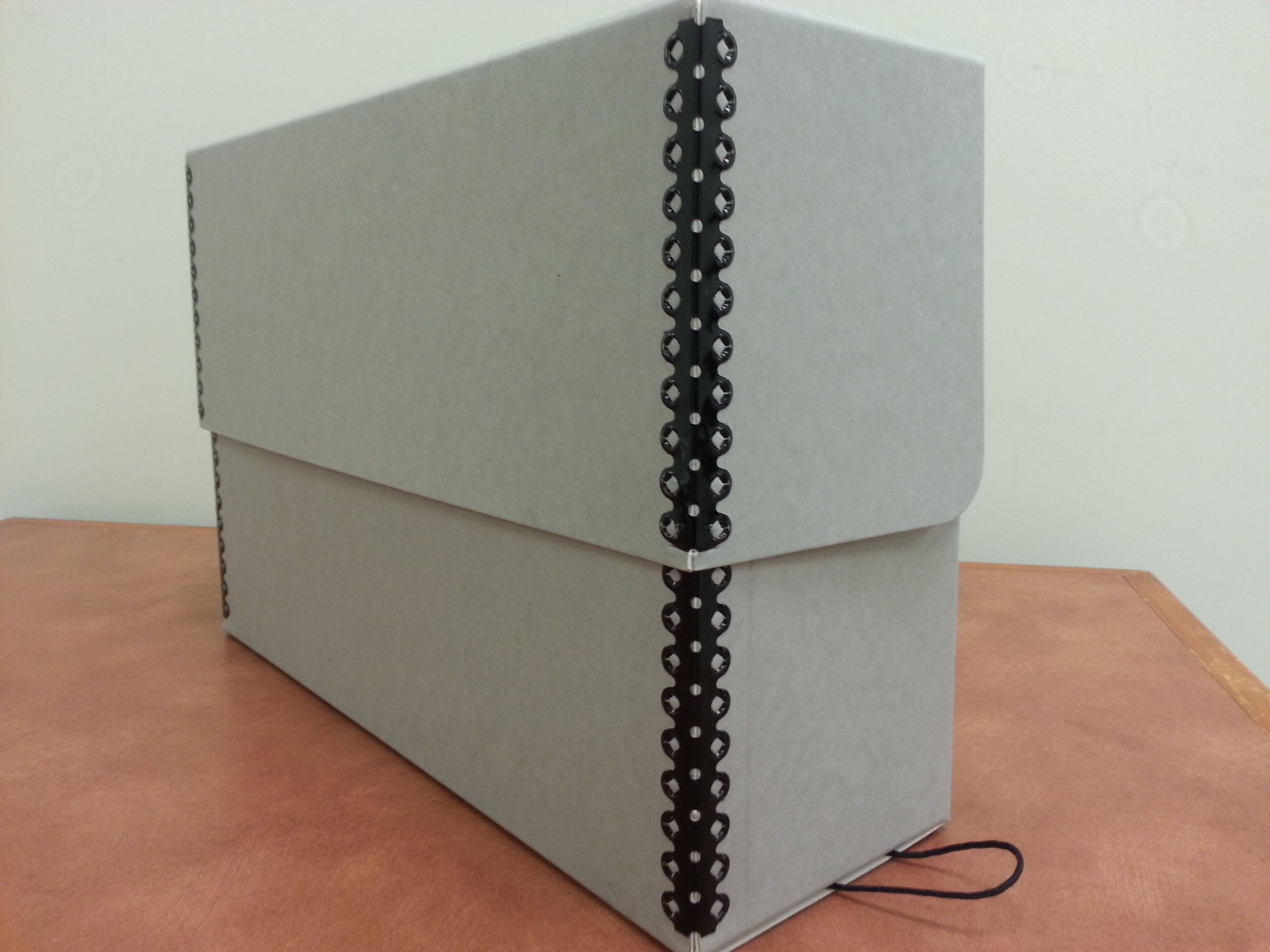
For the enclosure itself, both IPI and NARA point to the same family of standards: materials that are acid-free, lignin-free, and pass the Photographic Activity Test, with clear sleeves of inert polyester, polypropylene, or polyethylene. NARA's exclusion list is short and worth copying: no office-quality or kraft paper, no PVC plastics, no glassine. House one print per sleeve, stand small prints upright in a snug box with a spacer board, lay large prints flat, and never overfill. The enclosure guide explains how to judge materials before buying.
One exclusion is so specific that it earns its own sentence: never stick tape, labels, or any pressure-sensitive adhesive onto an inkjet print. IPI found that some adhesives “can cause deep yellowing in a matter of months,” even products that meet the archival standard, and no test predicts which ones. Water-based glues behind the image area of a dye inkjet print can pull the colorants into a blur, so mounting is professional work, not a weekend project.
Handle prints like the surface is still wet
NARA's handling rule is simple: clean nitrile or cotton gloves, hold prints by the edges, and never touch the image area, because oils, salts, and other skin deposits can degrade the image over time — the same reason this site recommends them for older photographs. Support a print with two hands or a piece of mat board underneath, and never fold, roll, or back-roll it. Pigment inkjet surfaces scratch so easily that IPI recommends nothing touch the printed face at all; if contact is unavoidable, use a smooth polyester sheet, and never stack prints directly on top of each other. Fresh prints should dry fully before they go anywhere near a sleeve or a stack.
For dust, NARA suggests a clean, soft brush or a hand-squeezed puff blower, working at an angle while the print rests on a flat surface — never canned air, whose force and propellants can do damage. Skip dusting entirely on any print that is torn, cracked, or lifting. And before prints go into their box, strip off paper clips, staples, rubber bands, and sticky notes; all of them mark or stain the surface they were meant to organize.
Display with limits
Light damage is cumulative and cannot be undone, so treat display as spending, not storing. IPI's display guidance calls for framing behind glazing that blocks at least 97% of ultraviolet radiation, with frame materials held to the same standard as storage enclosures, and it warns that visible light contributes to fading too — NPS suggests keeping display light at 50–100 lux. Hang prints away from sunny windows and humid rooms like kitchens and bathrooms, and check displayed prints every few months for the early signs IPI lists: fading, color shift, paper yellowing, ink bleed, or cracking of the surface. Rotating prints between wall and box — the same habit this site recommends for other displayed keepsakes — spreads the light budget across the collection. The framing guide covers the practical details of mats and glazing.
One display-specific surprise from IPI's research: an inkjet print that has spent years on the wall can become imperceptibly brittle even when its colors still look fine. When you take a long-displayed print down for reframing or storage, slide a rigid support under it before you move it, and never flex it “just a little” to fit a frame.
When to stop and get help
Stop the household routine and isolate the print from clean, dry materials if it is wet, moldy, or smells of contamination — IPI publishes a separate step-by-step guide for water emergencies affecting inkjet prints, which tells you how specialized that situation is. Stop as well if the surface is cracking, flaking, or delaminating; if prints have stuck to glass or fused to each other in a stack; if you cannot identify the material at all; or if the print is irreplaceable — the only copy, with no file behind it. Do not try to separate stuck prints, reactivate faded color, clean the surface with solvents or water, or flatten a print with heat or pressure. NARA's advice for damaged photographs is to consult a photograph conservator, and for a highly significant color print it notes that institutions use cold storage at or below 35°F — a sign that the professional conversation is worth having before you experiment. For everything else, the cheapest conservation tool is still the original file: reprint, and store the new print well.
Sources and scope
This guide covers ordinary, dry, intact digital photo prints at home — inkjet, dye sublimation, and laser prints, with notes on color lab prints — at the level of identification, backup, storage, handling, and display. It does not cover wet or moldy material, fine-art prints of market value, restoration, or the identification of specific printer brands.
- Image Permanence Institute (RIT): Digital Print Preservation — the three technologies, the drivers of deterioration, and the warning signs of change.
- Image Permanence Institute: IPI's Guide to Preservation of Digitally-Printed Images (PDF) — storage temperature and humidity tables, pollutant damage, enclosure and adhesive exclusions, handling, and display glazing.
- U.S. National Archives: Photographs (Holdings Maintenance) — glove and edge handling, dusting limits, enclosure materials and exclusions, sleeving and box practice, ozone sources, and conservator referral.
- U.S. National Park Service: Conserve O Gram 14/4, Caring for Photographs: General Guidelines (PDF) — storage temperature and humidity ceilings, dark storage, display light levels, and air filtration.